Action Nodes
Actions are nodes that do something — send messages, edit content, interact with Telegram, or call external APIs.
📤 Universal Send (action.send)
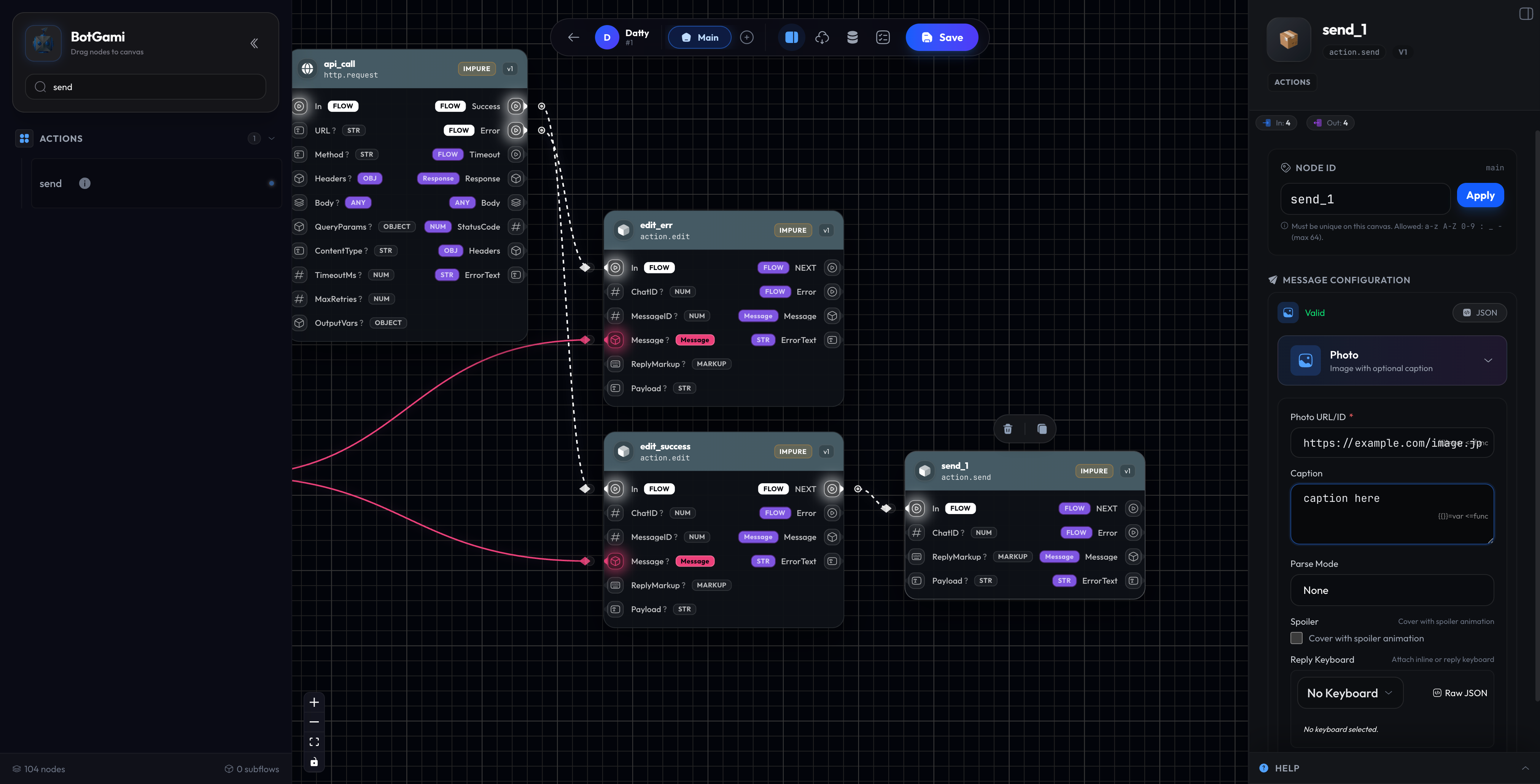
The recommended way to send ANY type of message. This single node handles all Telegram message types by changing its "Mode".
Supported Modes
| Mode | What It Sends | Key Inputs |
|---|---|---|
| Text | Plain or formatted text | Text, ParseMode |
| Photo | Images | URL or FileID, Caption |
| Video | Video files | URL or FileID, Caption |
| Document | Files (PDF, ZIP, etc.) | URL or FileID, Caption |
| Audio | Audio files | URL or FileID |
| Voice | Voice messages | URL or FileID |
| Location | Map location | Latitude, Longitude |
| Contact | Phone contact | PhoneNumber, FirstName |
| Poll | Poll/Quiz | Question, Options |
Configuration
| Setting | Description |
|---|---|
| Mode | Type of message to send |
| Text/Caption | Message content (supports templates like {{var.name}}) |
| ParseMode | Markdown, MarkdownV2, or HTML formatting |
| ReplyMarkup | Attach keyboards (inline or reply) |
| ChatID | Override target chat (default: current user) |
Dynamic Inputs
The node is smart — input sockets appear based on your mode:
- Photo Mode:
URL,Caption,FileIDinputs appear - Location Mode:
Latitude,Longitudeinputs appear - Poll Mode:
Question,Options(array) inputs appear
Examples
Send Welcome Message:
Mode: Text
Text: Hello {{user.first_name}}! Welcome to our bot. 🎉
ParseMode: Markdown
Send Product Photo:
Mode: Photo
URL: https://example.com/product.jpg
Caption: **{{var.product_name}}** - Only ${{var.price}}!
Send Location:
Mode: Location
Latitude: 40.7128
Longitude: -74.0060
(Above inputs connected from data nodes)
✏️ Edit Message (action.edit)
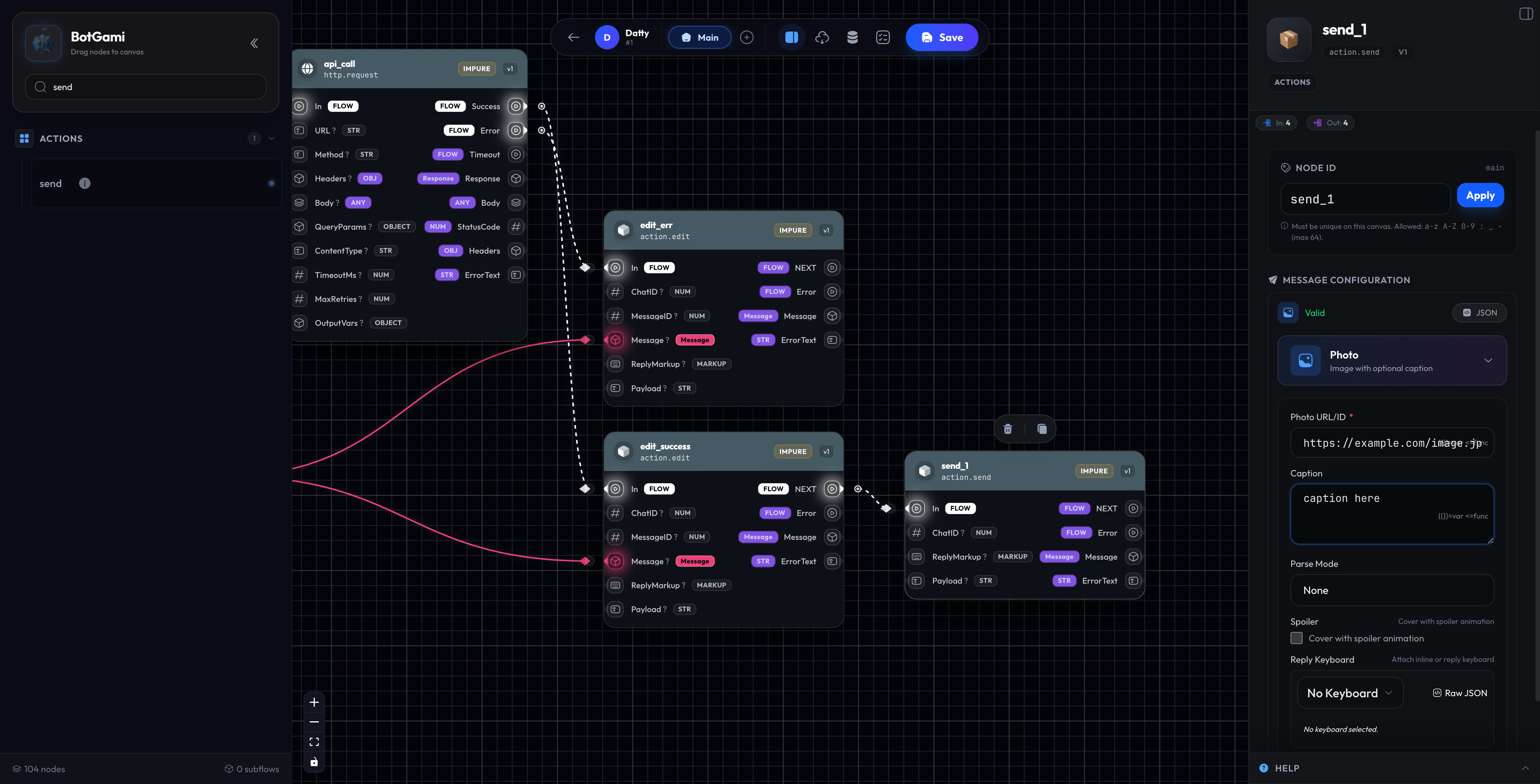
Updates an existing message. Perfect for interactive menus where you want to change content without cluttering chat history.
Modes
| Mode | What It Does | Use Case |
|---|---|---|
| Text | Change message text | Update status message |
| Caption | Change media caption | Update photo description |
| ReplyMarkup | Change buttons only | Update menu options |
| Media | Change the media file | Swap image/video |
Configuration
| Setting | Description |
|---|---|
| Mode | What to edit |
| MessageID | ID of message to edit (from trigger or previous send) |
| Text/Caption | New content |
| ReplyMarkup | New buttons |
Example: Progress Tracker
[Send] "Processing... 0%" --> Save MessageID to var.progress_msg
↓
[Edit] var.progress_msg --> "Processing... 25%"
↓
[Edit] var.progress_msg --> "Processing... 50%"
↓
[Edit] var.progress_msg --> "✅ Complete!"
🗑️ Delete Message (action.delete)
Removes a message from the chat.
Configuration
| Setting | Description |
|---|---|
| MessageID | ID of message to delete |
| ChatID | Chat where message exists (default: current) |
Use Cases
- Remove old menu messages
- Clean up bot commands after processing
- Delete sensitive information after use
Example: Clean Command
User sends: /secret_code ABC123
Bot saves code, then deletes the user's message for privacy
💬 Chat Info (action.chat)
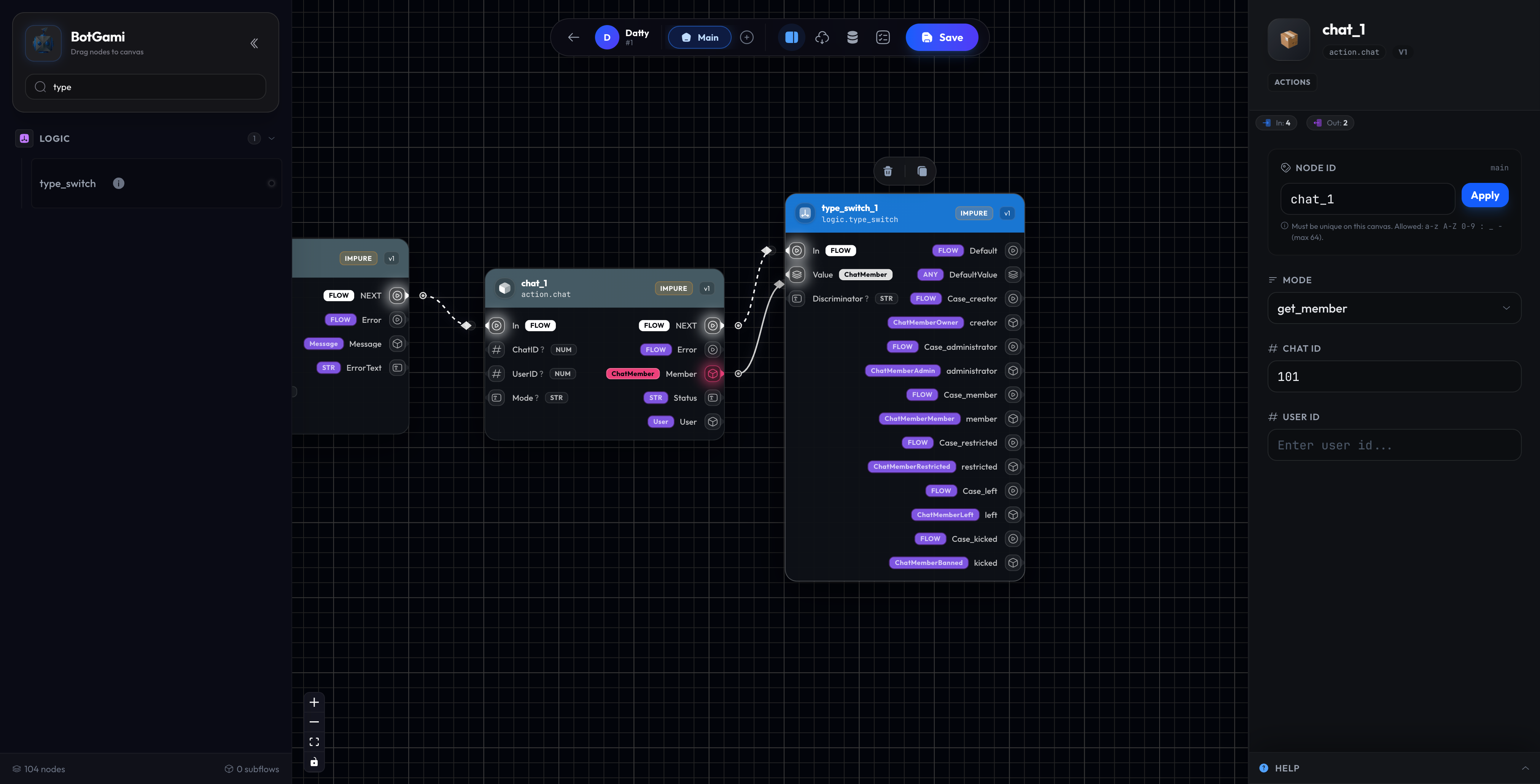
Retrieves information about chats, members, and administrators.
Modes
| Mode | Returns | Use Case |
|---|---|---|
| GetChat | Chat details | Get group title/description |
| GetMember | User's status in chat | Check if user is admin |
| GetMemberCount | Number of members | Display group size |
| GetAdmins | List of all admins | Admin-only features |
Configuration
| Setting | Description |
|---|---|
| Mode | What info to get |
| ChatID | Target chat (optional) |
| UserID | User to check (for GetMember) |
Outputs (Mode-Specific)
GetChat:
Chat(Object): Full chat infoTitle(String): Chat nameType(String): "private", "group", "supergroup", "channel"
GetMember:
Member(Object): Member objectStatus(String): "creator", "administrator", "member", "restricted", "left", "kicked"IsAdmin(Boolean): Quick admin check
GetMemberCount:
Count(Number): Total members
GetAdmins:
Admins(Array): List of admin user objects
Example: Admin-Only Command
[Command /admin_panel]
  ↓
[action.chat - GetMember]
  ↓
[Condition: Status == "administrator" OR Status == "creator"]
  ↓ Yes
[Show Admin Panel]
  ↓ No
[Send: "Sorry, admin access only"]
📁 File Operations (action.file)
Gets file information and download paths for files sent to your bot.
Configuration
| Setting | Description |
|---|---|
| FileID | Telegram file identifier |
Outputs
| Output | Type | Description |
|---|---|---|
File | Object | Full file info |
FilePath | String | Download path fragment |
FileSize | Number | Size in bytes |
FileURL | String | Complete download URL |
Use Case: Save User's Photo
[trigger.on - filter: message:photo]
  ↓ FileID output
[action.file]
  ↓ FileURL output
[HTTP Request - Download file to your server]
  ↓
[Save URL to database]
↗️ Forward Message (action.forward_msg)
Forwards an existing message to another chat.
Configuration
| Setting | Description |
|---|---|
| MessageID | Message to forward |
| FromChatID | Source chat |
| ToChatID | Destination chat |
| DisableNotification | Silent forward |
Use Case: Customer Support
User sends message to bot
  ↓
[Forward to support group chat]
  ↓
Support team sees message with user info
⌨️ Typing Indicator (action.send_chat_action)
Shows a status like "Typing..." or "Uploading photo..." to make the bot feel more human.
Available Actions
| Action | Shows |
|---|---|
typing | "Typing..." |
upload_photo | "Sending photo..." |
upload_video | "Sending video..." |
upload_document | "Sending file..." |
record_voice | "Recording voice..." |
upload_voice | "Sending voice..." |
find_location | "Sending location..." |
Configuration
| Setting | Description |
|---|---|
| Action | Type of indicator |
| ChatID | Target chat |
Example: Realistic Delay
[User asks complex question]
  ↓
[send_chat_action: "typing"]
  ↓
[Delay 2 seconds]
  ↓
[Process answer with HTTP/AI]
  ↓
[Send response]
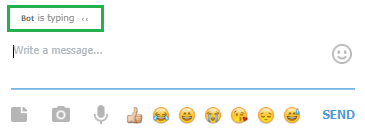
Pro Tip: The indicator automatically disappears after 5 seconds or when you send a message!
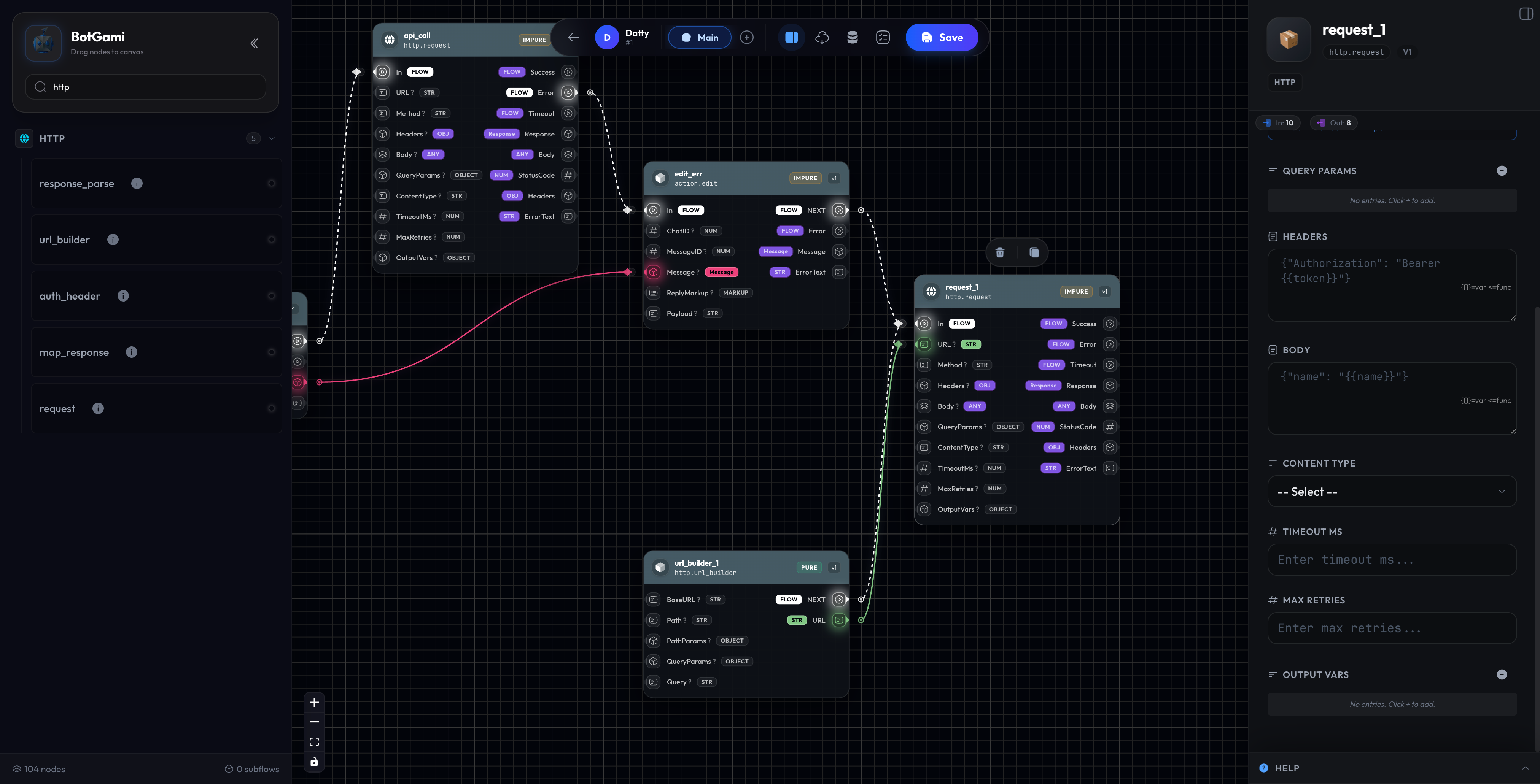
🌐 HTTP Request (http.request)
Call external APIs and web services. This is how you integrate with anything outside Telegram.
Configuration
| Setting | Description |
|---|---|
| Method | GET, POST, PUT, DELETE, PATCH |
| URL | API endpoint |
| Headers | Custom headers (auth, content-type) |
| Body | Request payload (JSON/form data) |
| Timeout | Max wait time (seconds) |
Inputs
| Input | Type | Description |
|---|---|---|
In | FLOW | Trigger |
URL | String | Dynamic URL |
Body | Any | Dynamic request body |
Params | Object | Query parameters |
Outputs
| Output | Type | Description |
|---|---|---|
NEXT | FLOW | Success |
Error | FLOW | Failed request |
Response | String | Raw response |
Data | Any | Parsed JSON response |
StatusCode | Number | HTTP status (200, 404, etc.) |
Examples
Get Weather:
Method: GET
URL: https://api.weather.com/forecast?city={{var.city}}
Headers: { "Authorization": "Bearer YOUR_KEY" }
  ↓
[data.transform - Extract temperature]
  ↓
[Send: "Temperature in {{var.city}}: {{temperature}}°C"]
Post to CRM:
Method: POST
URL: https://api.crm.com/leads
Headers: { "Content-Type": "application/json" }
Body: {
  "name": "{{user.first_name}} {{user.last_name}}",
  "telegram_id": "{{user.id}}",
  "message": "{{ctx.Input}}"
}
Quick Reference
| Node | Use When You Need To... |
|---|---|
action.send | Send ANY message type |
action.edit | Update existing message |
action.delete | Remove messages |
action.chat | Get chat/member info |
action.file | Download user files |
action.forward_msg | Forward messages |
action.send_chat_action | Show "typing..." |
http.request | Call external APIs |
Next Steps
- Menu Nodes → — Build interactive menus and wizards
- Flow Control → — Control conversation flow
- Data Nodes → — Transform and manipulate data